Every cent back, including sales tax, if you email hello@knowthesite.com within 30 days of the files arriving. No reason needed.
On a phone: the first task and the guide’s first part. At a computer with Chrome: the checks on your site.
This easy-to-understand 2027 guide shows you how to check your site, what to write down, and which setting to change.
Settings for Wix, Squarespace, Shopify, Square Online and Weebly, GoDaddy, WordPress, Webflow, Duda, Framer and hand-built sites. See your builder’s page.
Booking or ordering through Toast, ChowNow, Vagaro or Booksy: how to check that page, and what to send that company. Built-in booking, such as Wix Bookings, too.
4,305 California lawsuits over pixels and other tracking tools, counted by law firm Fisher Phillips up to October 22, 2026.4
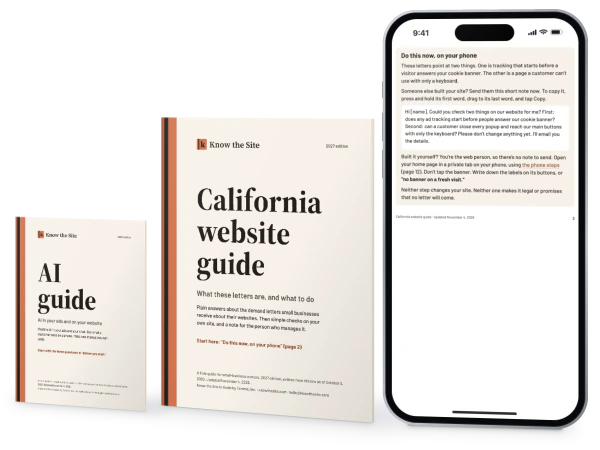
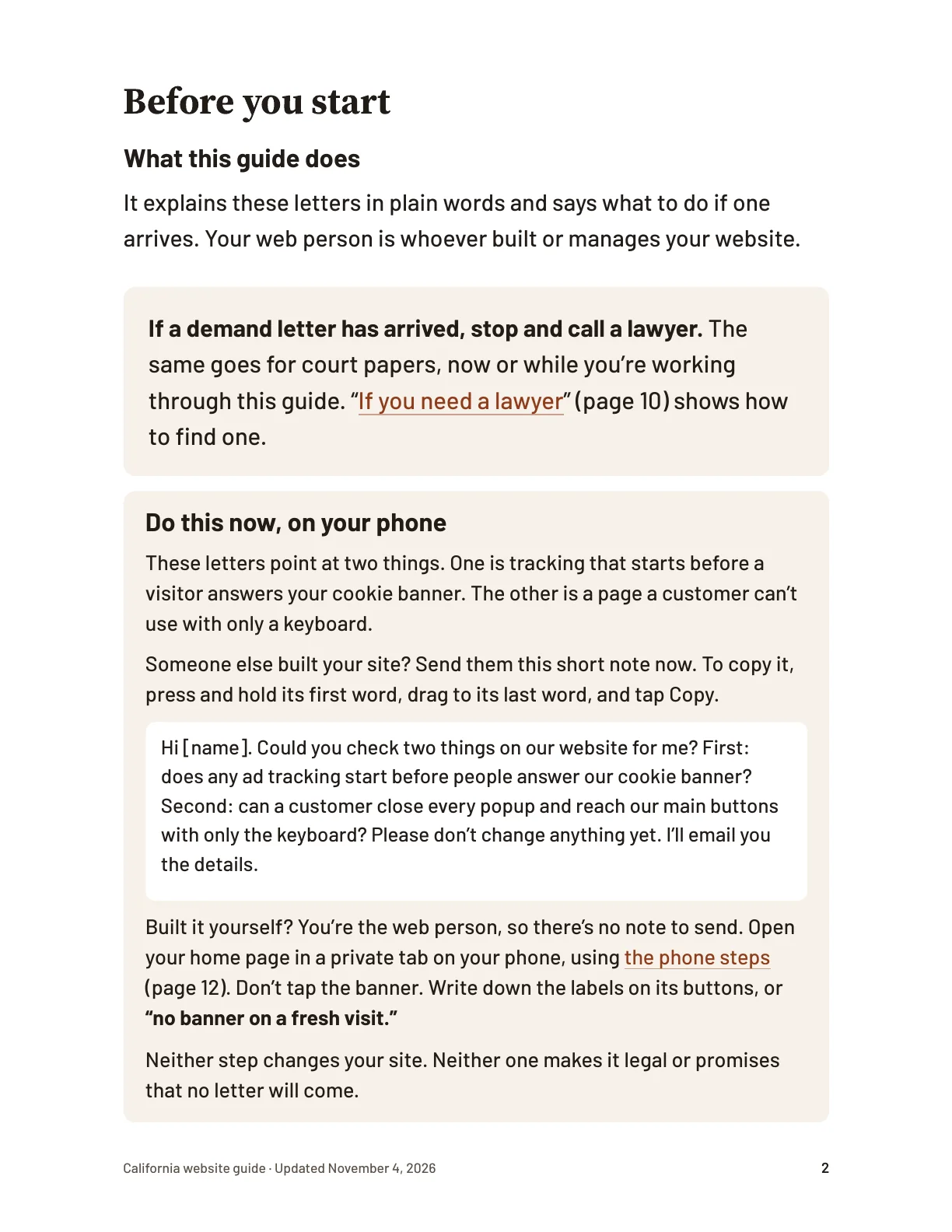
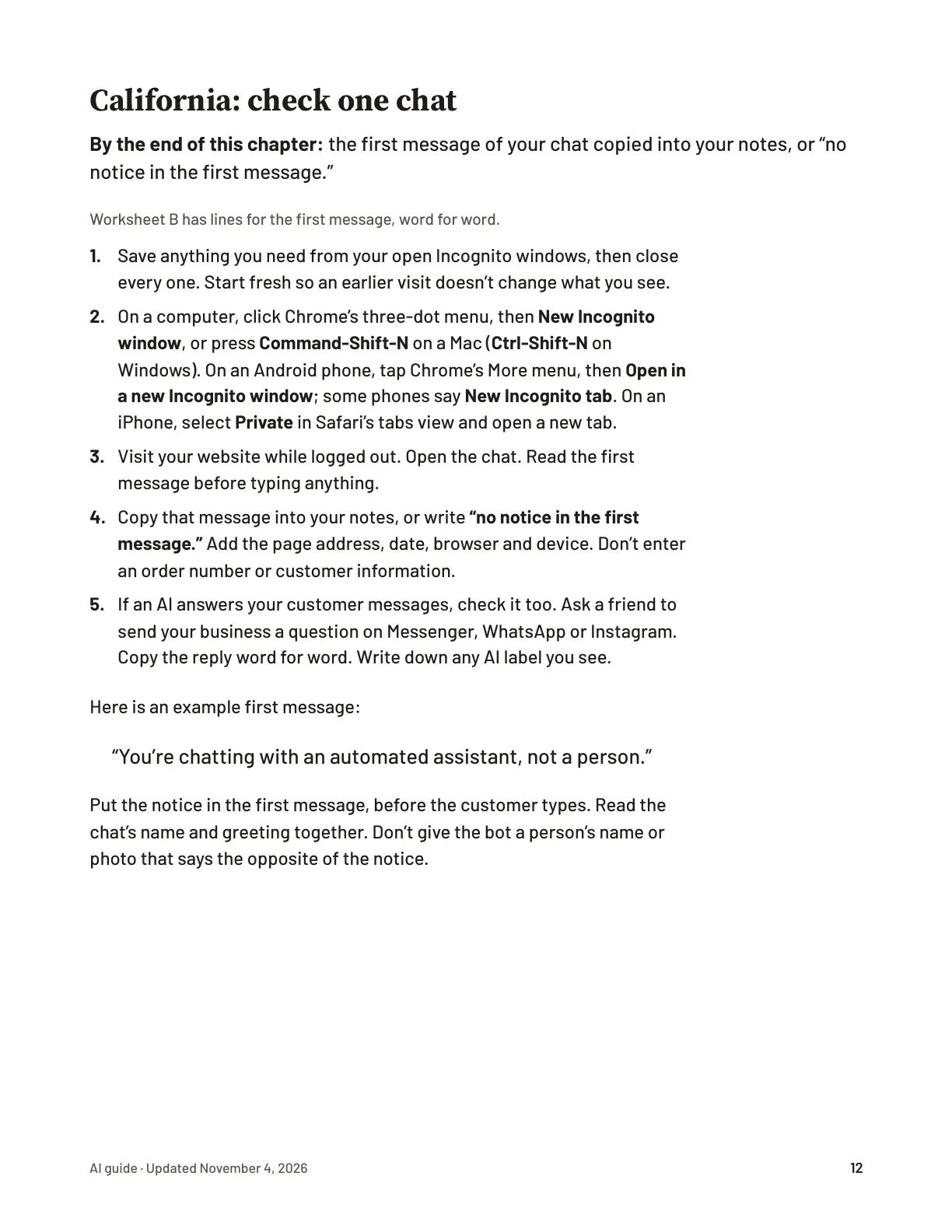
Page 2 of the California guide: its first task, word for word, for an owner who built their site.
Who these guides are for
They’re for you if you run a small business in California with a website, whoever built it.
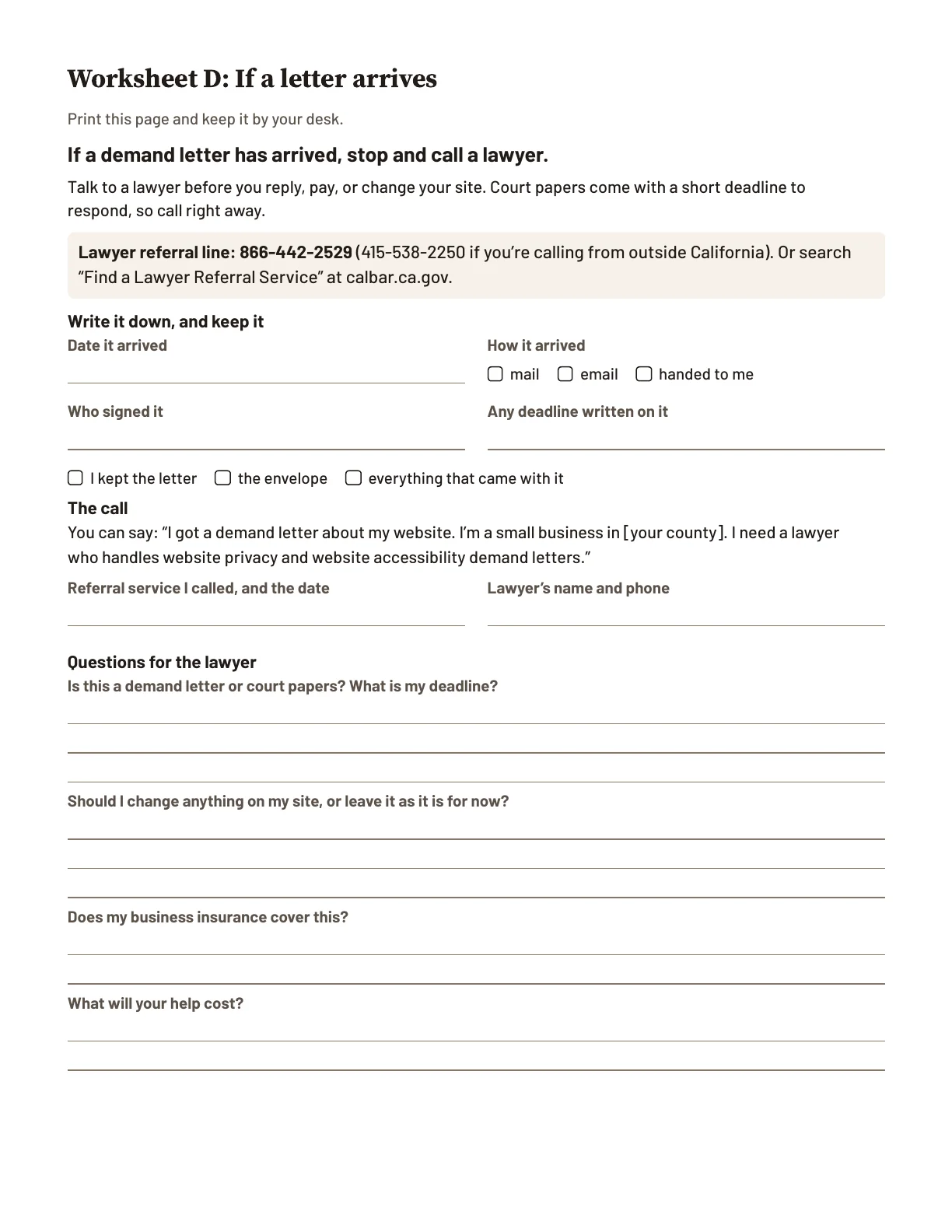
They’re not for you if a letter has already arrived, or you want a legal opinion. If a demand letter has arrived, stop and call a lawyer. The State Bar of California’s certified lawyer referral services can help: 866-442-2529.5
What you’ll do first
The guide starts with one task on your phone, on page 2. Pick your route.
I manage my site
Built it yourself? You’re the web person, so there’s no note to send. Open your home page in a private tab on your phone, using the phone steps. Don’t tap the banner. Write down the labels on its buttons, or “no banner on a fresh visit.”
How to open a private tab on your phone
On an iPhone, in Safari:
Tap More, then All Tabs, or tap Tabs if shown. Swipe to Private and unlock it if asked. Then touch and hold Done and tap Close All Tabs.
Tap the More button, then New Private Tab. In iOS 17 and earlier, tap the Tabs button, then swipe to Private.
On an Android phone, in Chrome:
If Incognito tabs are open, tap Switch tabs, then Incognito tabs. Tap More, then Close all Incognito tabs.
Tap More, then Open in a new Incognito window. Some phones say New Incognito tab instead.6
Then go to your home page. Don’t tap the banner.
In the guide, “If you found this, do this” says what to do with each result.
Someone else manages it
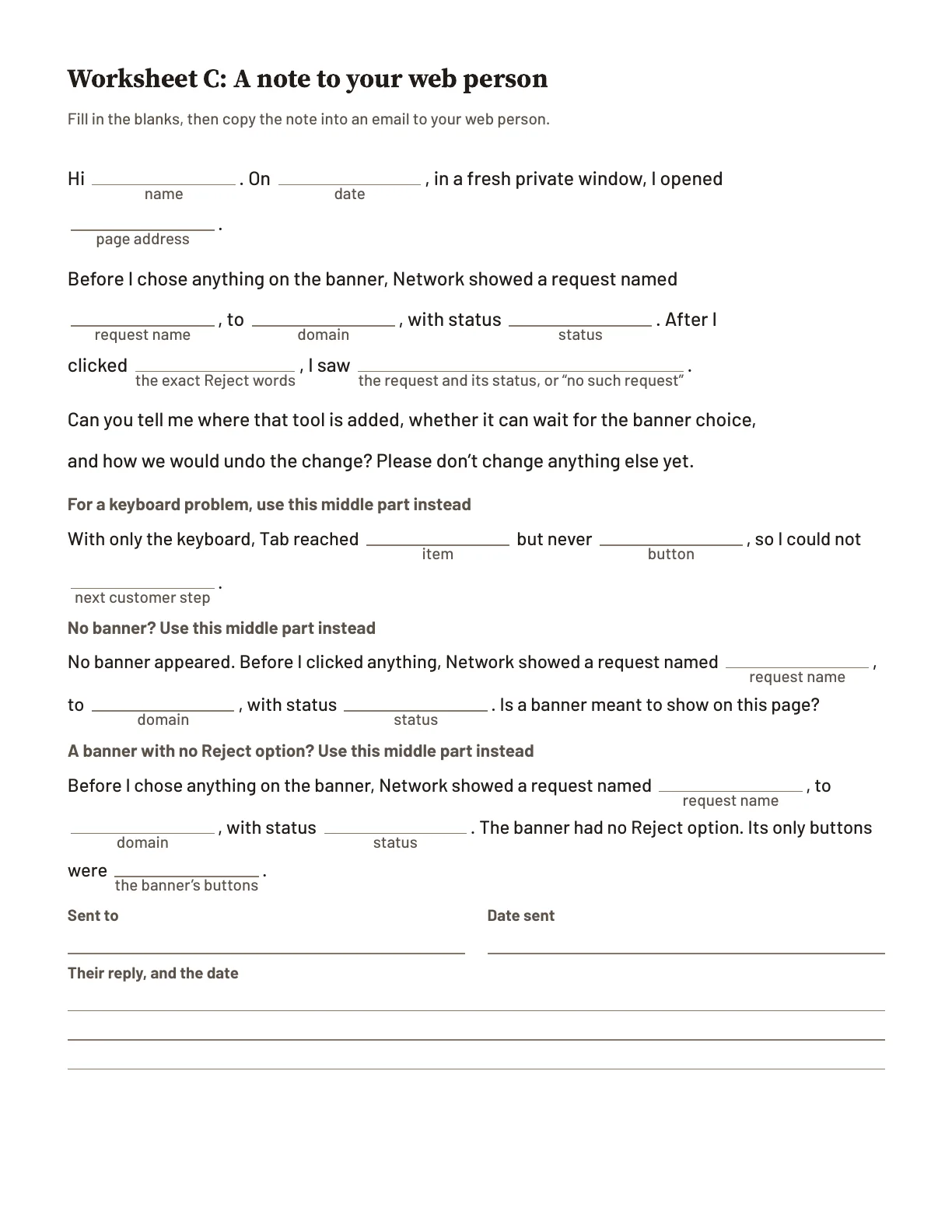
Someone else built your site? Send them this short note now.
To: the person who built your site
Hi [name]. Could you check two things on our website for me? First: does any ad tracking start before people answer our cookie banner? Second: can a customer close every popup and reach our main buttons with only the keyboard? Please don’t change anything yet. I’ll email you the details.
Neither step changes your site. Neither one makes it legal or promises that no letter will come. From page 2 of the guide, “Do this now, on your phone.” Read a full chapter free.
What these lawsuits and letters are about
Pixels that start before a visitor accepts them
If you run ads online, the ad platform gives you a pixel to put on your site: a small piece of code. It can tell the ad company which page someone opened, what they clicked, and details about their device. These letters say a site let those companies see what a visitor did before the visitor accepted them. They cite California’s 1967 wiretapping law, the California Invasion of Privacy Act (CIPA).
Web pages a customer with a disability can’t use
Some customers can’t use a mouse and use only a keyboard, so a button the keyboard can’t reach stops them. They cite the ADA, which the Justice Department says covers what businesses offer on the web, and California’s Unruh civil-rights law.
What a letter is, and isn’t
A letter is a claim, not a judge’s decision.
Many letters follow the same format, sent to business after business.7
A letter on its own can’t make you pay.
If a court rules against a business, the law sets damages for each violation:
$5,000: California’s wiretapping law (CIPA), in pixel suits.8
$4,000: California’s civil-rights law (Unruh), in accessibility suits. At least that, plus the other side’s lawyer fees.9
Read a sample letterHide the sample letter
September 22, 2026
Sample
VIA EMAIL AND U.S. MAIL
Quillon Street Provisions, LLC Attn: Owner
Re: Demand before filing suit. Morgan Vantrell v. Quillon Street Provisions, LLC. California privacy law.
Dear Business Owner:
This firm represents Morgan Vantrell and all other California residents who visited your website.
When our client visited, your website loaded an advertising company’s tracking code and an analytics tool before any choice was offered in its cookie banner. These tools sent our client’s activity on your site, including pages viewed and words typed into the site’s search bar and chat window, to other companies without our client’s consent.
This violates California privacy law, which allows $5,000 for each violation.
We are prepared to file a class action without further notice. To settle this before we file, please respond within 14 days of the date of this letter.
Sincerely,
Adrian K. Fenwright
SAMPLE. We made up this letter to show what one looks like. It is not a real letter. The names, the complaints and the 14 days to reply are invented. It doesn’t show that a letter like this is right, or that your business will get one.Read the whole sampleShow less of the sample
Is this real?
California lawsuits over pixels and other tracking tools, as counted by law firm Fisher Phillips.
California lawsuits over pixels and other tracking tools, as counted by law firm Fisher Phillips.
Date
California lawsuits counted
January 14, 2025
1,284
February 10, 2025
1,361
July 7, 2025
1,845
April 9, 2026
about 3,300
October 22, 2026
4,305
The count includes tracking in websites, apps and marketing emails.4,10
How the firm counts
Each point is the firm’s own published count on that date. It leaves out arbitration and demand letters.
The Press Democrat
May 12, 2026 · Phil Barber
Growing group of Sonoma County small businesses hit by website-based discrimination claims
The Press Democrat’s headline, quoted word for word. May 12, 2026. The suits were brought by one plaintiff who is visually impaired and uses screen-reading software, the paper reports.1
From January 2027, a new law (SB 690) ends private lawsuits under one privacy rule used against pixels. The wiretapping rule these letters cite stays.11
See it on our test site
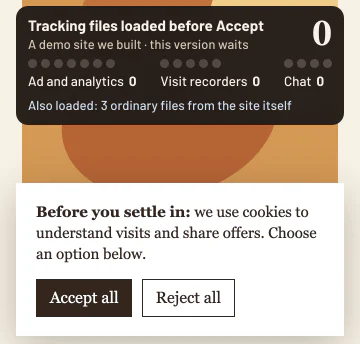
Before: 16 tracking tools start before any choice, and again after Reject. After: 0 tracking tools before Accept.
Before: 16 tracking tools start before any choice, and again after Reject
Address: demo.knowthesite.com
Our demo bakery site with its cookie banner up: a panel counts 16 tracking tools loaded before anyone answered; after Reject all, the next page loads the same 16.
After: 0 tracking tools before Accept
Address: demo.knowthesite.com
On this page, advertising and analytics tools stay off until you say yes on our cookie banner.
See the keyboard testHide the keyboard test
Stuck: Tab never reaches Book. Works: 7 Tabs reach Book.
Stuck: Tab never reaches Book
Address: demo.knowthesite.com
Our demo booking page: Tab, Tab, Tab, then Escape; the keyboard stays in the sign-up popup and never reaches Book.
Works: 7 Tabs reach Book
Address: demo.knowthesite.com
Our second version of the booking page: Escape closes the popup, and Tab moves on to Book.
A free accessibility checker, run on the stuck page, didn’t flag the popup.12
How we tested this
We built this demo site. Its tracking tools are test files that send nothing. We re-ran every count on November 4, 2026, in a fresh browser, and keep the steps and results on a public page. See the dated test record.
The guide,$67 once
AI guide included.
Both guides as PDFs and web pages, with links right after you pay and by email.
Every cent back, including sales tax, if you email hello@knowthesite.com within 30 days of the files arriving. No reason needed.
One payment, no subscription. Sales tax where it applies.
On a phone: the first task and the guide’s first part. At a computer with Chrome: the checks on your site.
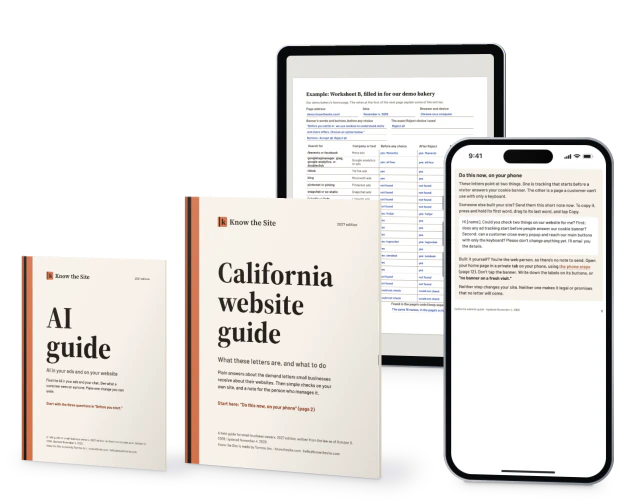
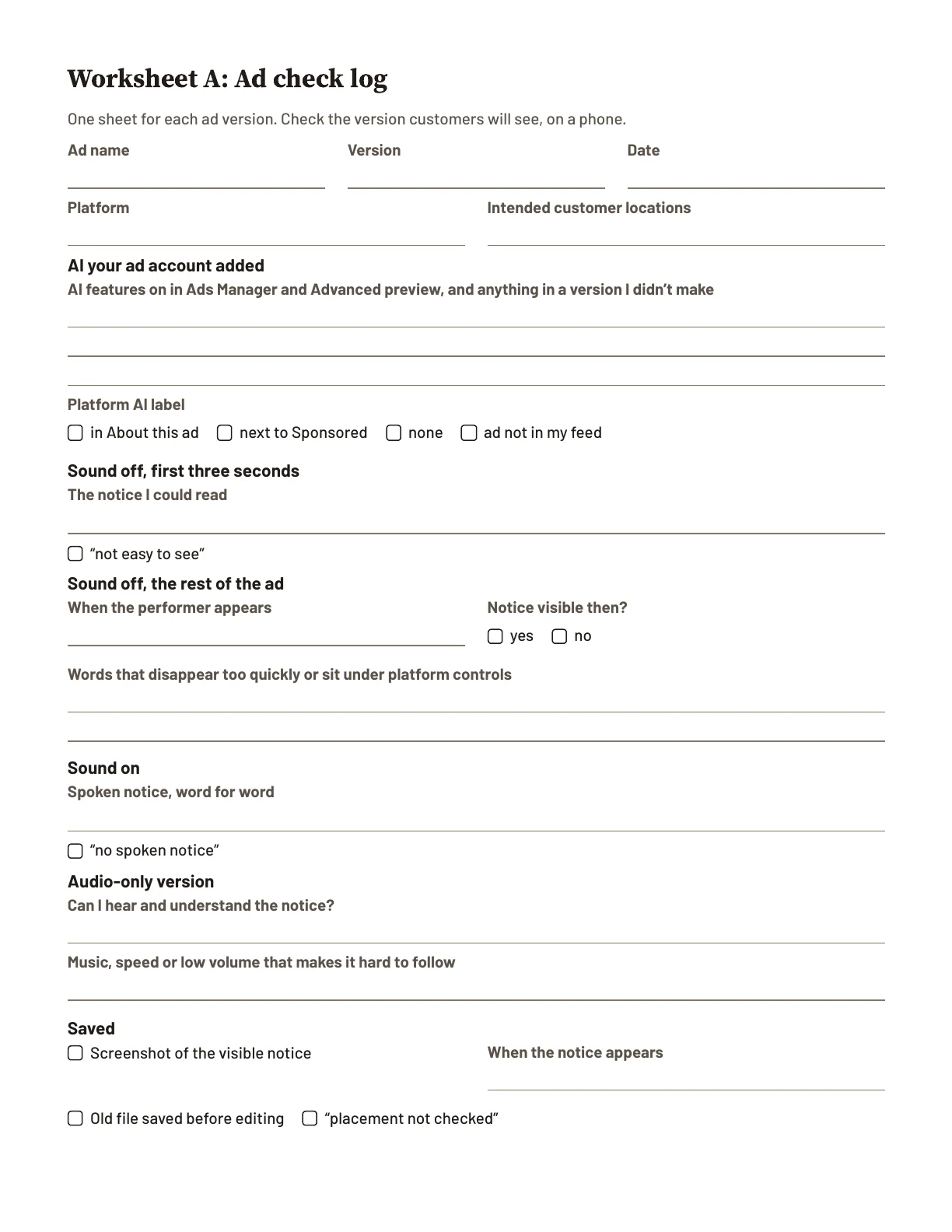
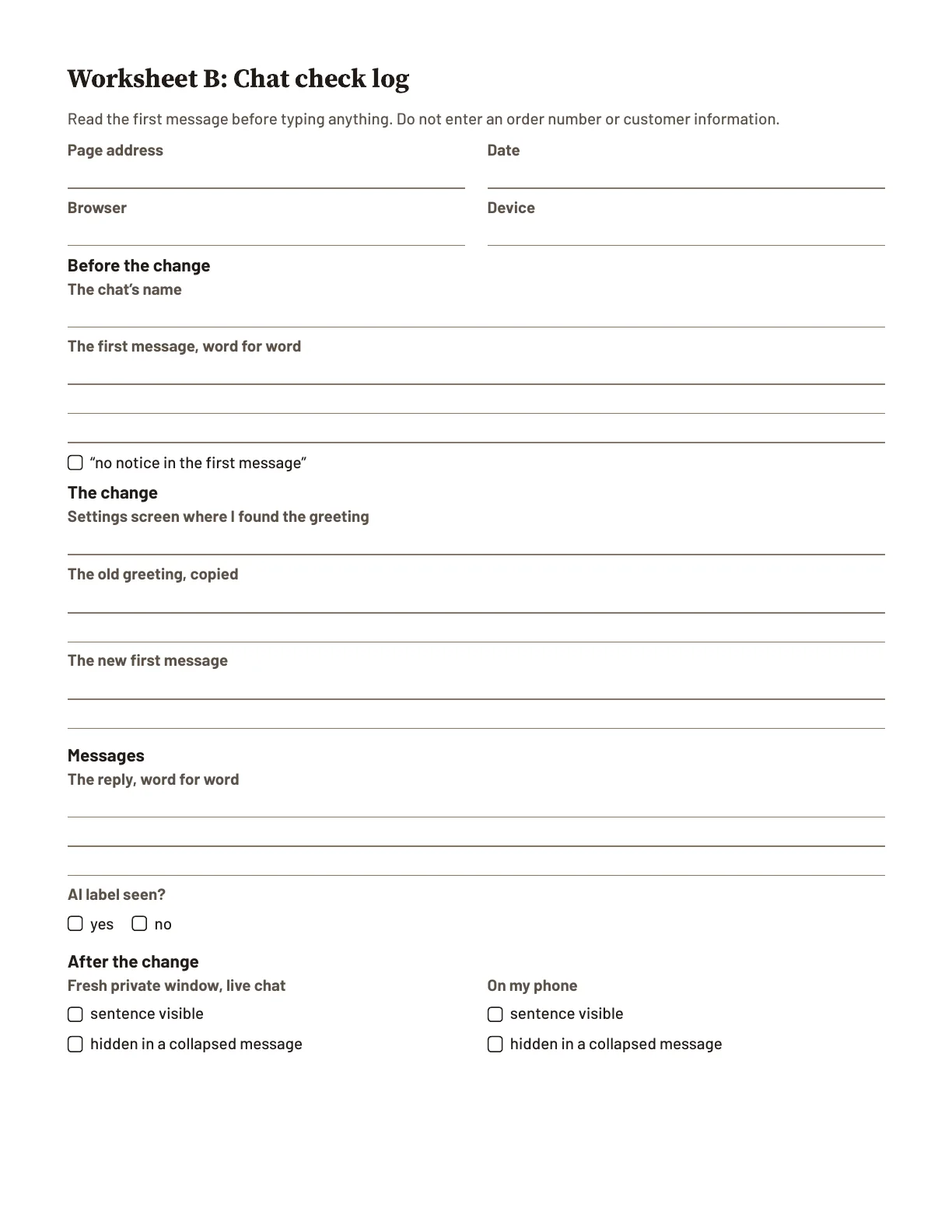
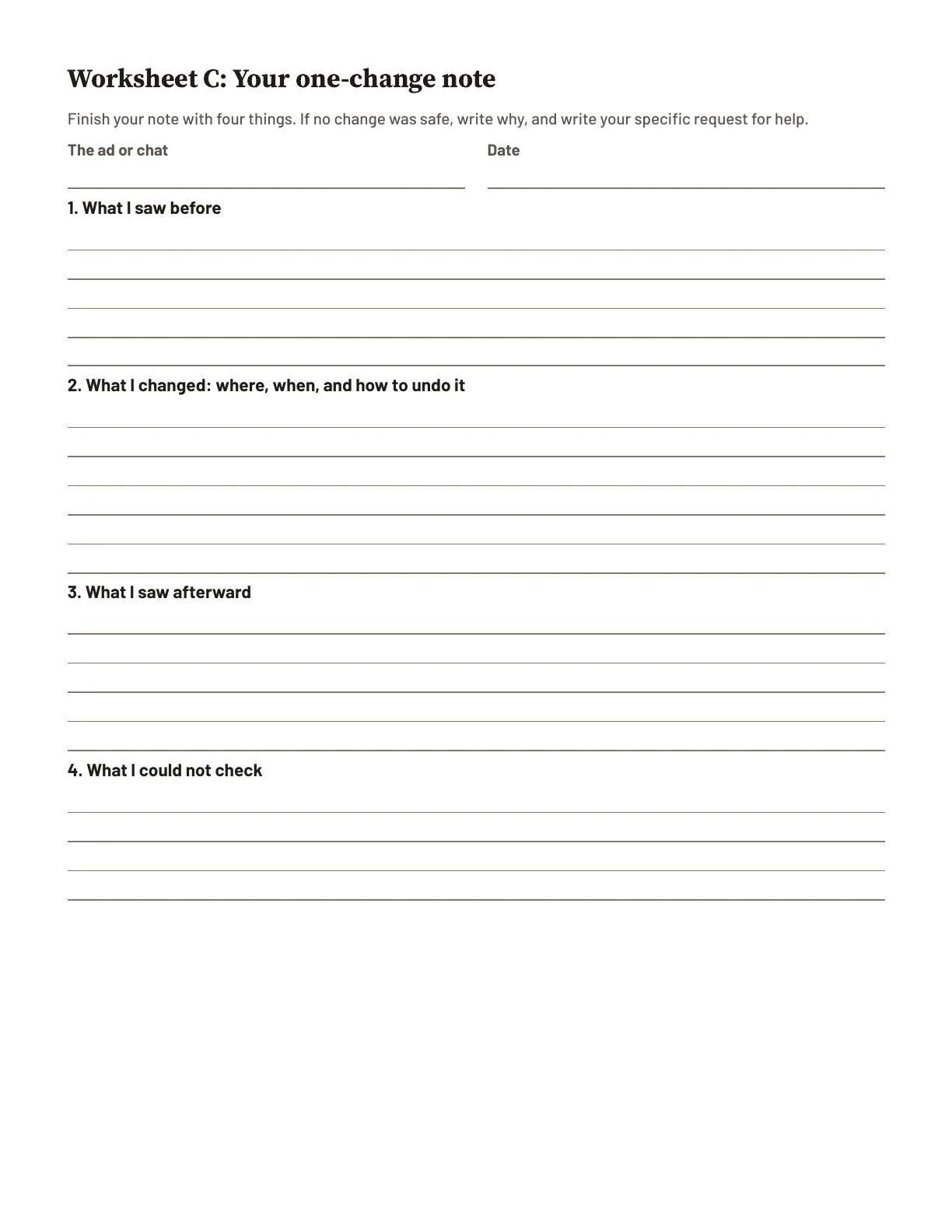
The California website guide, 19 chapters and 72 pages: plain answers, a first look at your site, a seven-day plan and five worksheets (one filled in for our demo bakery).13
The AI guide, included: 8 chapters, three worksheets, 21 pages. Optional: it’s for owners who advertise on social media, run an ad with an AI-made person in it, or have a chat on their website or an AI answering their messages. If none of that fits, its first page says you’re done with it.
Free corrections and law updates for this edition, by emailClose how updates work
Your one-time purchase includes ongoing corrections and law updates relevant to the subjects covered in these two guides, for this edition, at no extra charge. We email you when a revised guide is available. These messages explain the change and how to get the current files; they do not contain sales offers.
Free scanners and tracking checkers can’t tell you which setting on your own site to change, or what to write down.
What each free option doesHide the free options
Blacklight lists the tracking a website uses, not where your builder holds it back.14 A free accessibility scanner finds some problems on a page, but can’t decide on its own whether a site is accessible.15 ADA.gov explains how the ADA applies to websites. Your builder’s help pages explain its own screens, not these letters.
The guide puts it together for these letters: which settings matter, how to check them in a browser, what to write down and what to send your web person, for ten kinds of website.
Paid help does other jobs. An accessibility add-on (UserWay’s Small plan) runs $490 a year;16 a paid audit of a 1 to 10 page site (complyTech), $495 to $999.17
One finding, start to finish
See it: what you write down, what it means, the setting it leads toHide the example
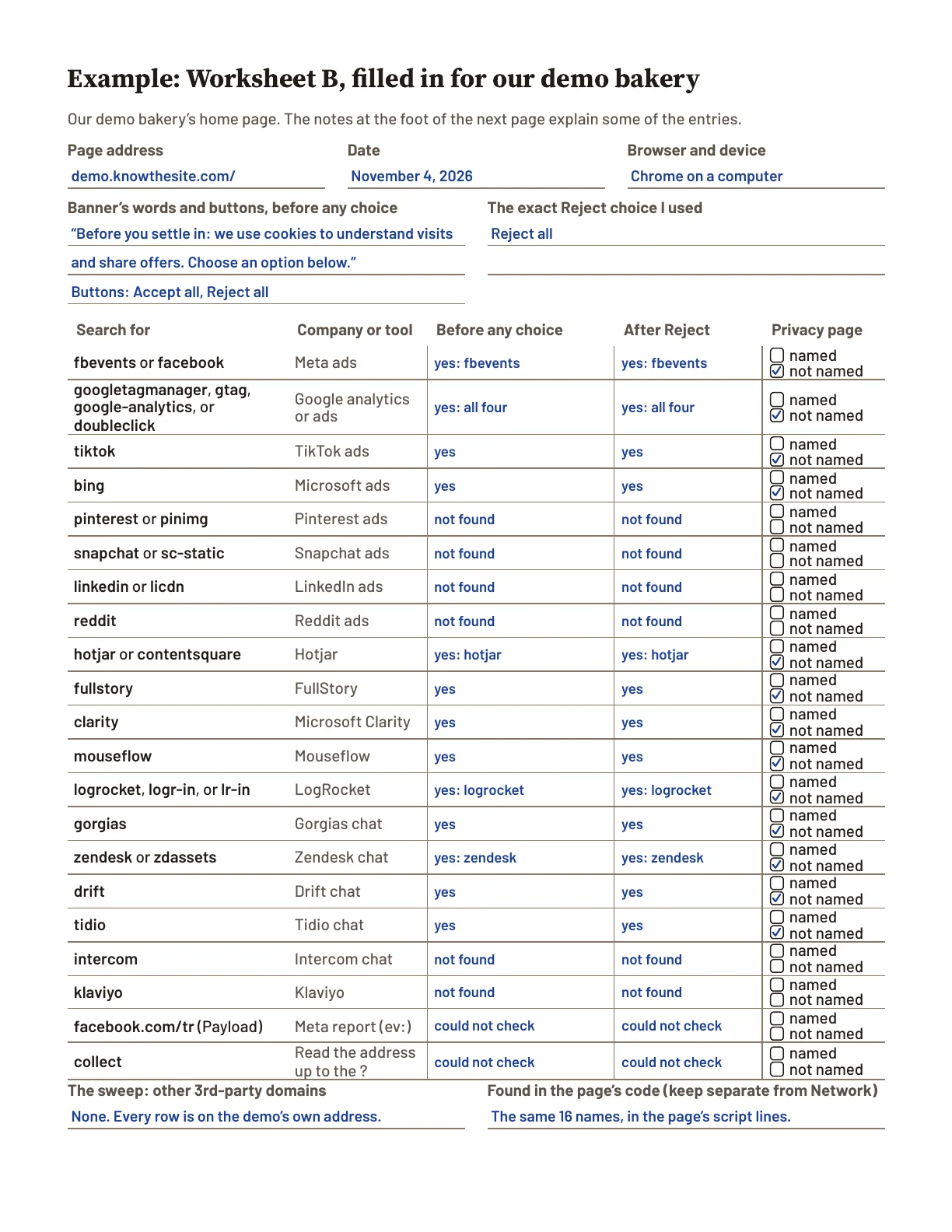
You write it down
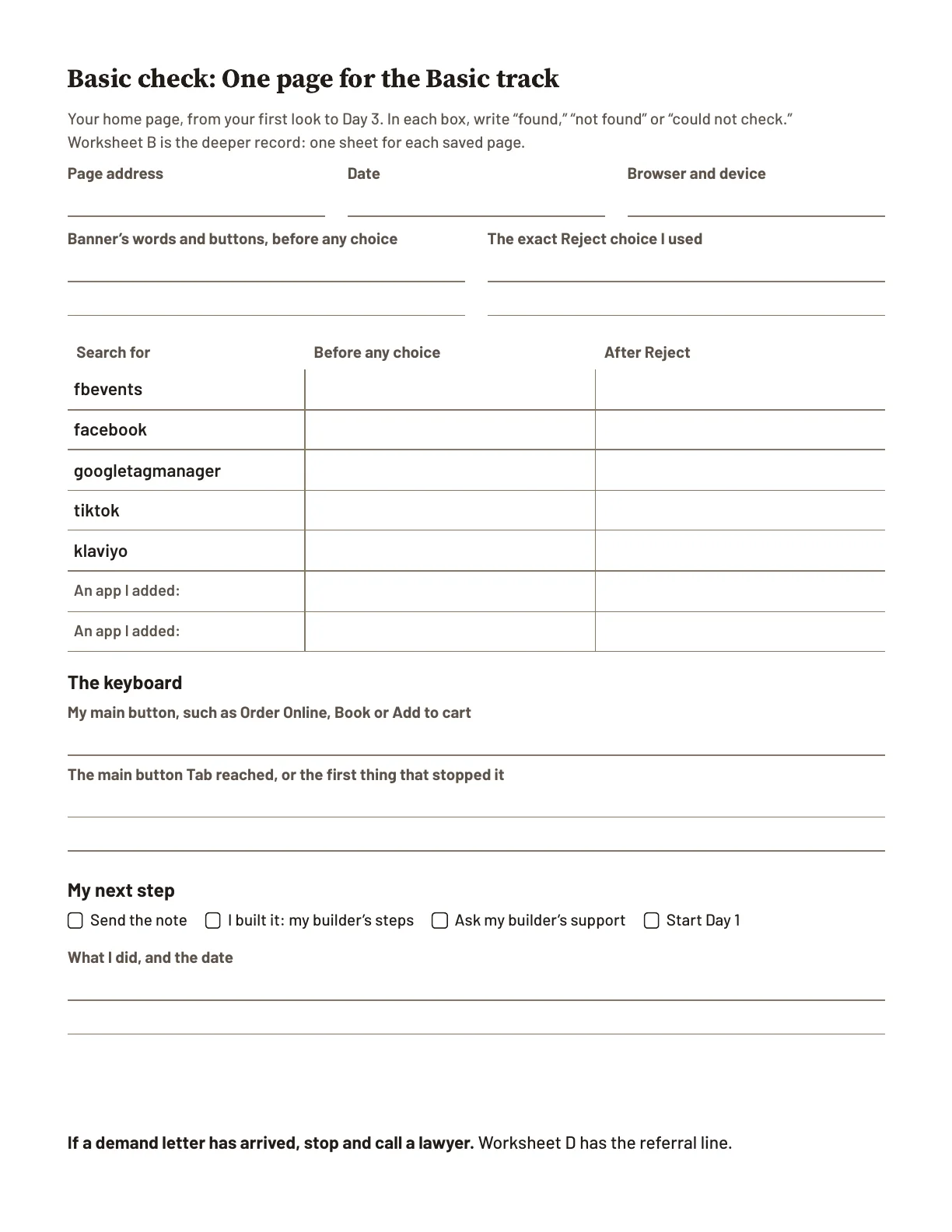
Example: Worksheet B, filled in for our demo bakery
Company or tool
Meta ads
Before any choice
yes: fbevents
After Reject
yes: fbevents
The guide says what it means
A tag that still loads after Reject is the first thing to ask about. Built it yourself? “Make tracking wait for a choice” (page 43) has your builder’s steps. Someone else built it? Send them the note.
The setting it leads to, on a Wix site
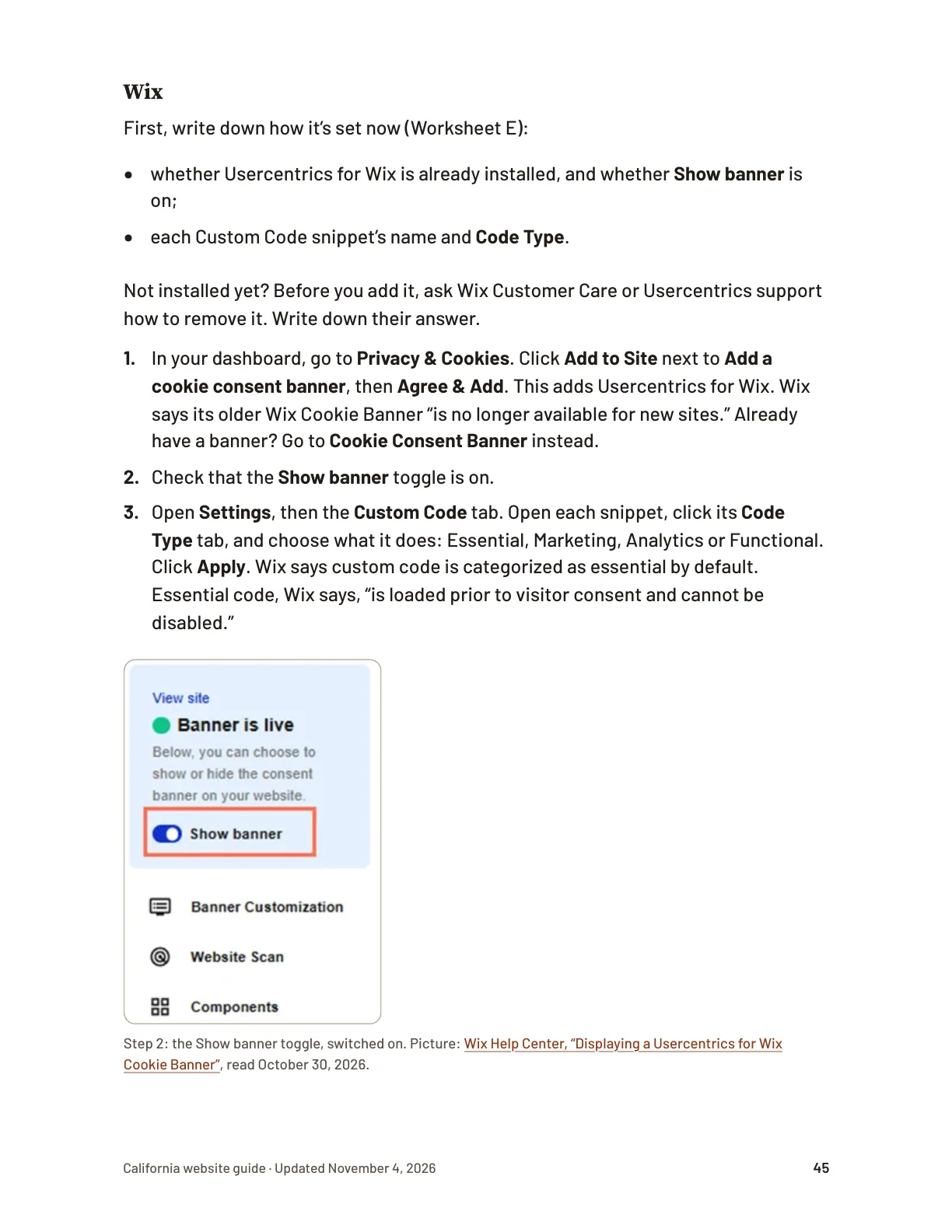
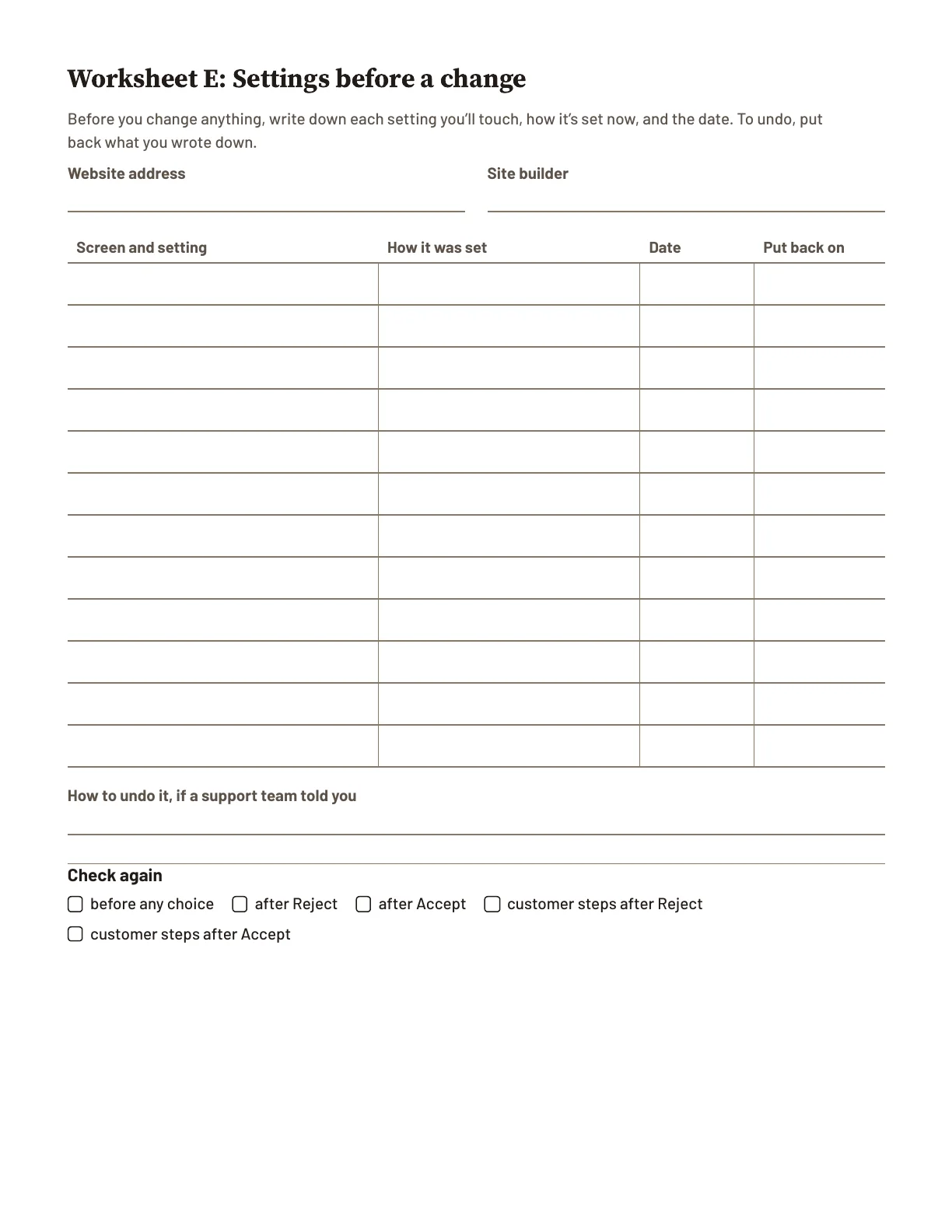
First, write down how it’s set now (Worksheet E).
Step 3. Open Settings, then the Custom Code tab. Open each snippet, click its Code Type tab, and choose what it does: Essential, Marketing, Analytics or Functional. Click Apply.
By the end of this chapter: the first message of your chat copied into your notes, or “no notice in the first message.”
Its example first message: You’re chatting with an automated assistant, not a person.
With the guides you can check what your site does, and find the setting to change. These guides don’t make your site legal. They show you what it does.
Read the first chapter freeClose the free chapter
What these letters are
The short version. These letters are about one of two things. One is tracking that starts before a visitor answers the cookie banner. The other is a page a customer can’t use with only a keyboard. A cookie banner is a box about the site’s use of cookies. It may ask visitors to accept or reject them. If a letter arrives, “If you need a lawyer” (page 10) shows what to do.
Is this real?
Yes. Small businesses are getting letters and lawsuits about their websites. You’re right to pay attention. You don’t need to panic.
Three facts help. A letter is a claim, not a judge’s decision. Many letters are copies sent to many businesses at once. And a letter on its own can’t make you pay.
In September 2026, the Attorney General of Texas warned Texas businesses about letters that use a California privacy law against website tracking. Lawyers writing about the warning said some of these letters may be “fraudulent, deceptive, or at least overstated.”
Here is what the numbers show:
In 2025, people filed 3,117 lawsuits in US federal courts saying a website didn’t work for disabled people. That was 27% more than in 2024.
From September 2025 to May 2026, six food businesses in Sonoma County, California, were sued over their websites. One man brought all six cases, and the court papers were almost word for word the same. He has brought about 300 lawsuits around the Bay Area in three years.
If no letter or court papers have arrived, there’s nothing to reply to. Tonight is for looking, not for rushing changes.
Letters about tracking
Many websites carry bits of code from other companies. Examples are ad tracking, visitor counters, tools that record each visit, and chat boxes. This guide calls each one a tag. A tag can tell an ad company which page someone opened. It can also tell what they clicked, and details about their device.
Tracking letters say a site did this without the visitor’s permission. Often they say the tags started before the visitor answered the cookie banner. Or they say the tags kept reporting after the visitor clicked Reject. These letters use a California privacy law from 1967. It was written against wiretapping and secret recording. The letters claim that a tag sending a visit’s details to another company, without permission, is like wiretapping.
Two sites with the same cookie banner. In the first, a tag reports the visit before anyone clicks. In the second, the ad tag waits for the visitor’s choice.
The banner alone doesn’t show which kind you have. And having no banner doesn’t, on its own, mean your site tracks visitors. The checks in “Your first look at your site” (page 12) show what loads.
Being on Square Online, Wix, Squarespace, Shopify or WordPress doesn’t protect you by itself. These letters are about what your site does. Wix and Squarespace both say their cookie banners may not control code someone pasted into your site.
Run ads now? “Make tracking wait for a choice” (page 43) shows how your builder makes tags wait for a choice.
Did boosting a post put code on my site? No, not by itself. Boosting turns an Instagram or Facebook post into an ad. Meta’s tag for websites, the Meta Pixel, is separate.
Can a tag from an old ad still be on my site? It can. Stopping your ads and removing their tag are separate steps.
Only if you’ve run ads. Never ran any? Skip this. If you have, look yourself:
Meta: Meta’s Events Manager shows your pixel’s activity.
Google: in Google Ads, click Tools, then Data manager. Under “Google tag,” click Manage. Then click Admin, and under Tools, click Tag coverage. It shows which pages loaded the tag in the last 30 days.
If either shows activity you can’t explain, ask your web person or builder’s support where it comes from. If you use website tracking for current ads, you may see activity from it. These letters are about when tracking starts, not whether you advertise.
What else can load other companies’ files? A Facebook share button, a Page plugin, or a Facebook or Instagram post shown on your site can load code from Meta. A plain text link is different from an embedded Meta plugin. Ask your helper which your site uses. A chat box or an email sign-up pop-up can load files from the company that makes it. Your web person or builder’s support team can tell you what each is.
Letters about access
Some customers can’t use a mouse. People who are blind can’t see the pointer, so they use the keyboard. Some people with physical disabilities can’t use a mouse either.
Access letters say a disabled customer couldn’t use the site. For example, the keyboard can’t reach a button. A screen reader, the software that reads a page aloud, says only “button.” It doesn’t say what the button does. Or the words go past the edge of the screen when someone makes the text bigger.
Two booking pages. In the first, a popup has no close button, and Escape does nothing. Tab goes around inside it and never reaches Book. In the second, Tab reaches Book.
These letters say a site broke the Americans with Disabilities Act (the ADA). That is the federal disability law. In California, they also name the state’s civil rights law.
This guide has you test your site with the keyboard. It doesn’t test a screen reader. But keyboard barriers can also stop customers who use screen readers. The note asks your web person to try one.
What a letter asks for
A demand letter says your website broke a law. It asks for money to settle. To settle means to reach an agreement to end the claim. Tracking letters usually include screenshots of the site. Some businesses receive a lawsuit without a demand letter first. The next chapter covers both.
News reports say access lawsuits have settled for $5,000 to $12,000. Amounts vary. These are amounts from settled cases, not a bill. This week, ask your insurance agent whether your business insurance covers claims like this. Tonight, the useful thing is the phone steps at the start of “Your first look at your site” (page 12).
Do this now: Has a letter arrived? Turn to “If you need a lawyer” (page 10) now. If not, go on to “Your first look at your site” (page 12).
See the California guide’s 19 chaptersHide the chapters
What these letters are
If you need a lawyer
Your first look at your site
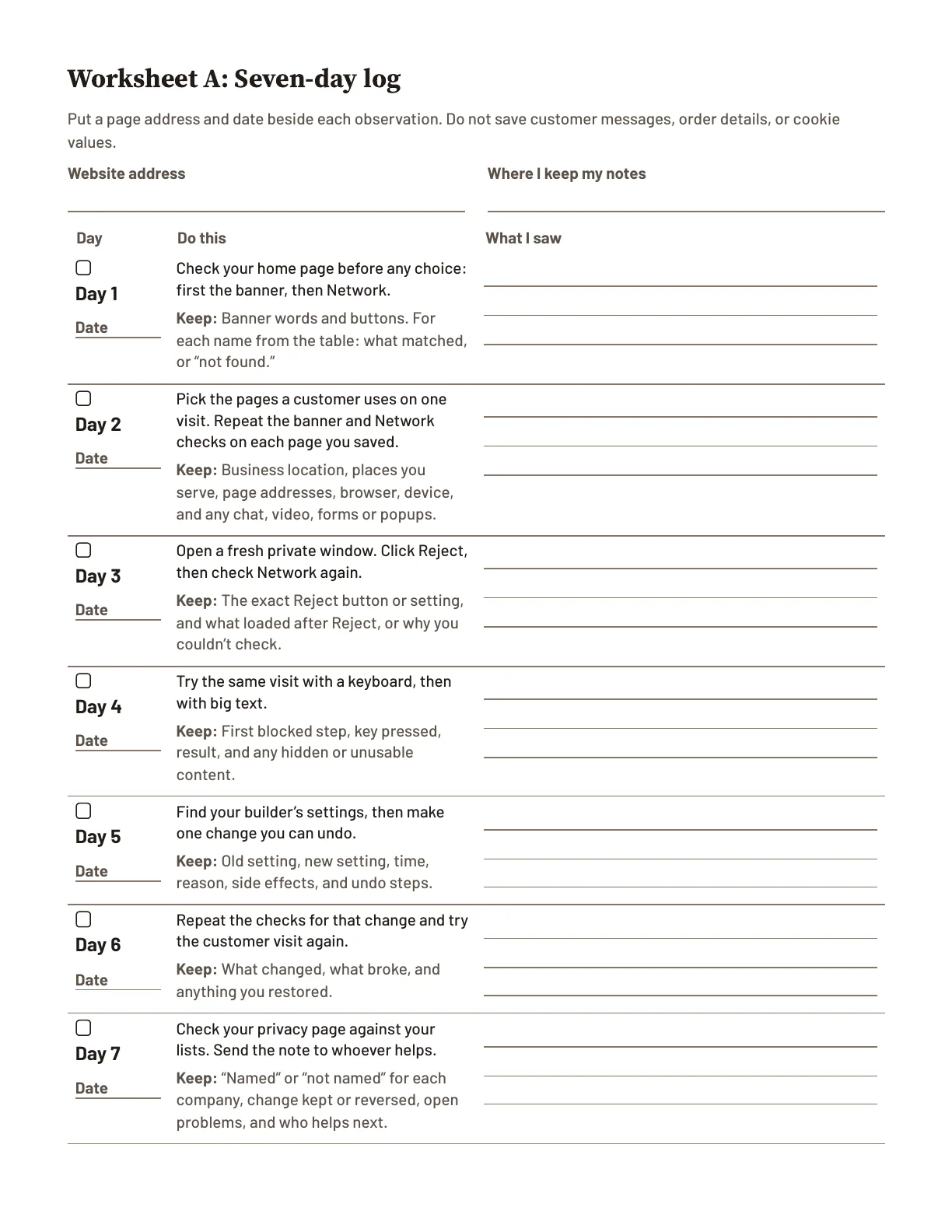
Spread the work over seven days
Find your situation
Check your cookie banner
See what loads before a visitor chooses
Pick the pages a customer uses
Look again after Reject
Use the site without a mouse
Find the settings for your site
Make tracking wait for a choice
Make one change you can undo
Check your privacy page
If you have no web person
A note you can send to your web person
Don’t pay for an “ADA compliant” badge
The laws named in these letters
Where you stand after seven days
See your builder’s page in the guideHide the builder pages
Pick your site builder
Read your builder’s first page of the guide before you buy. The browser checks work whoever built your site.
Wix
Continues on page 40 of the guide.Page 39 of the guide, from “Find the settings for your site”: Wix. One page of its section. Its steps to make tracking wait for a choice start on page 45.18
Booking built into your site? The guide says: “A Square Online or Wix site can include its own booking, such as Wix Bookings. If yours does, check the booking page as part of your site.” (page 15)
Squarespace
Page 40 of the guide, from “Find the settings for your site”: Squarespace. One page of its section. Its steps to make tracking wait for a choice start on page 46.18
Shopify
Page 39 of the guide, from “Find the settings for your site”: Shopify. One page of its section. Its steps to make tracking wait for a choice start on page 43.18
Square Online
Continues on page 42 of the guide.Page 41 of the guide, from “Find the settings for your site”: Square Online, and older Weebly sites. One page of its section. Its steps to make tracking wait for a choice start on page 49.18
Booking built into your site? The guide says: “A Square Online or Wix site can include its own booking, such as Wix Bookings. If yours does, check the booking page as part of your site.” (page 15)
WordPress
Page 38 of the guide, from “Find the settings for your site”: WordPress, including WooCommerce. One page of its section. Its steps to make tracking wait for a choice start on page 47.18
GoDaddy
Page 41 of the guide, from “Find the settings for your site”: GoDaddy Website Builder. One page of its section.18
Webflow
Page 41 of the guide, from “Find the settings for your site”: Webflow. One page of its section.18
Duda
Page 42 of the guide, from “Find the settings for your site”: Duda. One page of its section.18
Framer
Page 42 of the guide, from “Find the settings for your site”: Framer. One page of its section.18
Hand-built
Page 39 of the guide, from “Find the settings for your site”: A hand-built or older custom site. One page of its section.18
Booking or ordering through Toast, ChowNow, Vagaro or Booksy
Page 15 of the guide, in “Your first look at your site”: a booking or ordering page run by another company, and the note to send that company.18
Booking built into your site? The guide says: “A Square Online or Wix site can include its own booking, such as Wix Bookings. If yours does, check the booking page as part of your site.” (page 15)
Who made this
Tomme, Inc., a small California company in Sacramento, wrote the guides and built the test site. We read the laws, government guidance, law firms’ lawsuit counts and news reports. The guides are not legal advice. Every legal point links to its official source, so you or a lawyer can check it. The 2027 edition follows the law as of October 6, 2026; its latest correction is dated November 4, 2026. See every correction, dated.
Questions
I’m not technical. Can I do this?
Yes. The guide tells you where to click and which keys to press, and uses our test site for worked examples. Or send your web person the note: it tells them what to check.
I don’t have a web person.
Then the checks are yours, and the guide walks you through them. It shows the settings on ten kinds of website, such as Square Online, Wix, Squarespace and Shopify. The note also works for a friend or a local freelancer.
What if my site has no cookie banner?
The guide’s first look covers that case, and the note asks your web person about it.
What if the law changes?
We correct the guides for this edition and email you the new files, free. Every correction is dated on the updates page.
Can I get my money back?
Yes. Email us within 30 days of the files arriving and we’ll refund everything you paid, including sales tax. No reason needed.
Your card statement shows KNOWTHESITE. The seller is Tomme, Inc., doing business as Know the Site.
Does this work outside California?
The looks work anywhere. The law notes are about California, and the AI guide adds six other states.
Check your own site. The guide shows you how.
Every cent back, including sales tax, if you email hello@knowthesite.com within 30 days of the files arriving. No reason needed.
We email you a link to this page and the free checklist, for later at a computer.
Sent. Check your email.
Look for “The page you asked for, and your your state checklist” from Know the Site (hello@mail.knowthesite.com). It should arrive within a few minutes. Not there? Check spam or Promotions.
You asked for the follow-ups: 5 short emails over the next 9 days. Each one has a one-click unsubscribe.
We couldn’t add this address to the follow-ups, so none will come. The email says how to ask for them.
Tonight, at your computer: open a fresh Incognito window, go to the page where customers order or book, and don’t click the banner. Copy what you see, and date it.
Six steps in Chrome on a computer, and none of them changes your site.19
If a demand letter has arrived, stop and call a lawyer.
Sources
See all 19 sourcesHide the sources
The Press Democrat, Phil Barber, “Growing group of Sonoma County small businesses hit by website-based discrimination claims,” May 12, 2026 (the headline as the article page shows it, read October 30, 2026): six suits filed in Sonoma County Superior Court since September 2025, against a taqueria, two burger restaurants, a bakery, a café and a pizza restaurant; “Hardly a word varies among the six legal complaints, other than the companies’ internet URLs.” The paper reports the suits’ plaintiff “is visually impaired, uses screen-reading software that translates visual images to speech” and is “the plaintiff in about 300 lawsuits around the Bay Area.” Read the source
Manatt, “Consent banner litigation: when the fix becomes the target,” August 20, 2026: claims under the California Invasion of Privacy Act, including wiretapping theories, over trackers “alleged to fire before, sometimes only milliseconds before, the visitor has any chance to accept.” Read the source
U.S. Department of Justice, “Guidance on Web Accessibility and the ADA,” March 18, 2022: the ADA’s requirements apply to the goods and services businesses open to the public offer, “including those offered on the web.” Read the source
Fisher Phillips, Digital Wiretapping Litigation Map (one law firm’s lawsuit tracker), read October 29, 2026: 4,305 California cases filed April 1, 2022 to October 22, 2026, and 5,950 US cases filed February 5, 2022 to October 22, 2026, over tracking tools such as cookies, pixels and beacons in websites, apps or marketing emails. The tracker updates as cases are filed. Read the source
The State Bar of California, certified lawyer referral services: search by county and type of case, or call 866-442-2529. Read the source
The guide’s sources for private windows: Chrome Help and Apple on Private Browsing and Safari tabs, read October 28 to 30, 2026. Chrome Help, Private Browsing, Safari tabs
Shumaker, Loop & Kendrick (a law firm), “Your Website May Be a Lawsuit Waiting to Happen: The CIPA Demand Letters Flooding Businesses,” June 29, 2026: “these demands often follow a similar format”; “A standardized demand still requires a serious response.” Read the source
California Legislature, Penal Code section 637.2 (the damages section of the California Invasion of Privacy Act of 1967, the state’s law against wiretapping): $5,000 per violation, or three times actual damages if that is more. Read October 28, 2026. Read the source
California Legislature, Civil Code section 52 (the damages section of the Unruh Civil Rights Act): no less than $4,000 for each offense, plus any attorney’s fees the court sets. Read October 28, 2026. Read the source
Fisher Phillips (a law firm), its own published counts of California suits over pixels and other tracking tools: 1,284 on January 14, 2025; 1,361 on February 10, 2025; 1,845 on July 7, 2025; “roughly 3,300” on April 9, 2026. Each count is on the firm’s page of that date. Read October 30, 2026. January 14, 2025, February 10, 2025, July 7, 2025, April 9, 2026
California Legislature, the 2026 tracking-lawsuit law (SB 690), signed September 30, 2026: from January 1, 2027, private lawyers can no longer sue under one of the privacy rules used against website tracking (the pen-register rule); the wiretapping and recording rules are unchanged. Read the source
Our own test of our demo bakery site (now at demo.knowthesite.com), re-run November 4, 2026: before any banner choice it loads 16 harmless test files named after real tracking tools; after Reject all, the next page loads the same 16; its second version loads none before Accept all. On its booking page, Tab, Tab, Tab and Escape leave the keyboard in the sign-up popup and Book is never reached; the free axe-core accessibility checker, run with its WCAG A and AA rules, did not flag that. Read the source
The 2027 California website guide and the AI guide, revision of November 4, 2026 (chapters, worksheets and pages counted from the files). Every correction, dated
The Markup, Blacklight, “A Real-Time Website Privacy Inspector,” a free tool, read November 4, 2026: “Enter the address of any website, and Blacklight will scan it and reveal the specific user-tracking technologies on the site.” Read the source
World Wide Web Consortium (W3C), “Selecting Web Accessibility Evaluation Tools,” updated May 13, 2024: tools can’t determine on their own whether a site is accessible. Read the source
The example add-on: UserWay pricing, read October 30, 2026: under “Accessibility Pro Widget”, the “Small” plan, “Basic compliance for small businesses”, “$490/ year”; the page’s plan comparison lists automated remediation, user personalization and monitoring for that plan (“Pro”, “$490/ year”). Read the source
The example audit price: complyTech, ADA compliance audit pricing, read October 30, 2026: “Micro-site (1–10 pages): $495–$999”. Read the source
Our free checklist, “The private-window check,” one printed page: six numbered checks, done in Chrome on a computer (a phone can’t show the Network list in step 2). Its own words: “None of the six steps changes your site.” The free checklist’s page